How to Write Action Titles in PowerPoint That Drive Decisions
Senior leaders rarely study a slide from top to bottom. They scan the headline, judge whether it matters, and move on. That single habit explains why action-oriented slide titles separate decks that get approved from decks that stall. When a title merely names a topic, the audience must decode the chart, weigh the numbers, and reach a conclusion on their own. When a title states the conclusion, the thinking is already done for them. For teams that build board-level presentations, this is not a cosmetic detail; it is the difference between clarity and confusion. Our slide structure and design best practices treat the title line as the most valuable real estate on the page.
The stakes are practical. A managing director may flip through fifty pages in a few minutes, reading only the headlines. If those headlines say nothing specific, the deck fails before the discussion begins. The good news is that writing sharp titles is a learnable skill, and it pays off across every strategy presentation you build.
What an Action Title Really Is
An action title is the most important point of a slide, formulated as a short, simple, complete sentence. It is sometimes called an assertion headline. Done well, it lets the audience understand the primary message from the title alone, before they examine a single chart. Mastering the action title PowerPoint approach begins here: you are replacing a label with a claim.
Consider the contrast. A conventional title such as "Customer Satisfaction Survey Results" summarises what sits on the slide. An action title such as "Customer satisfaction rose 12% after the service team expanded" tells the audience what the data means. The first forces interpretive work onto the reader. The second delivers the insight directly. There is a simple test for whether you have written a real assertion: someone must be able to disagree with it. If your title cannot be challenged, it is a decoration, not a conclusion.
Action titles also act as a forcing function. If you cannot write a clean one, the slide is often unclear or unnecessary. When too many good points compete for one headline, the answer is never a smaller font. The answer is to split the slide or cut the content that does not serve the core message.
Why Action Titles Accelerate Executive Decisions

There is a cognitive reason action titles work so well. Human working memory has a hard ceiling. In a widely cited reconsideration of mental storage capacity, Nelson Cowan concluded that the central store is limited to roughly three to five meaningful items for young adults. When a slide forces an executive to decode a dense chart before knowing what to look for, they burn through that limited capacity simply orienting themselves.
An action title removes that tax. The moment the audience reads the headline, they hold a conclusion. Every chart, figure, and bullet beneath it becomes evidence for something they already understand. They stop processing and start evaluating. That is why leading with the message shortens the path to a decision, and why understanding why visuals help communicate your message matters as much as the words above them.
The practical payoff is visible in meetings. Presenters who adopt assertion headlines receive fewer "can you walk me through this?" interruptions. Their decks move faster because the audience is not reconstructing the argument in real time. The discipline also sharpens the author, because writing a tight conclusion forces you to know what you actually believe before anything reaches the slide.
Five Rules for Writing High-Impact Action Titles
Sharp headlines follow a small set of repeatable rules. They apply whether you are building a board presentation, a client recommendation, or a weekly update.
- Write one complete sentence. No fragments, no colons, no "Key Findings:". A full sentence is the minimum unit of meaning and the minimum requirement for a real assertion.
- Lead with the insight, not the data source. Prefer "Our margins improved 5%" over "Margin analysis shows…". The insight is the point; the analysis is only the mechanism.
- Use active voice and a strong verb. Words such as reduced, accelerated, captured, and prevented convey direction and momentum. Passive constructions drain energy from the claim.
- Quantify whenever you can. "Revenue grew" is a statement; "Revenue grew 17% in the eastern region" is a fact. Round to meaningful precision, because "37%" is easier to process than "37.2%".
- Keep it under 15 words or two lines. If the message will not fit, the slide is probably carrying two ideas. Split the slide, not the title, and never shrink the type to force a fit.
These constraints are not arbitrary. They exist because consulting-grade slides are read quickly and skimmed under pressure. If you want to see how disciplined phrasing looks in practice, our McKinsey-style strategy slide insights show the pattern applied across full decks.
Action Titles Versus Conventional Titles
The fastest way to internalise the difference is to compare weak topic labels with strong assertions side by side. Every strong version below shares three traits: a specific claim, a number, and a clear direction.
| Weak topic title | Strong action title |
| Cost Reduction Initiatives | Three cost initiatives will save $4.2M in year one |
| Market Analysis | Competitor price cuts drove a 3-point share loss in Q2 |
| Operational Update | Process automation cut order fulfilment time by 40% |
| Supply Chain Review | Optimising supply chain processes can reduce costs by 20% |
| Risk Overview | A new compliance framework prevented an estimated $2M in exposure |
Notice that each strong title answers "so what?" rather than "what?". A caveat applies: some slides intentionally describe a process. That is acceptable, provided the slide focuses only on the process and the results appear on a separate slide with their own conclusion.
Reading the Titles Alone: Your Presentation Storyline
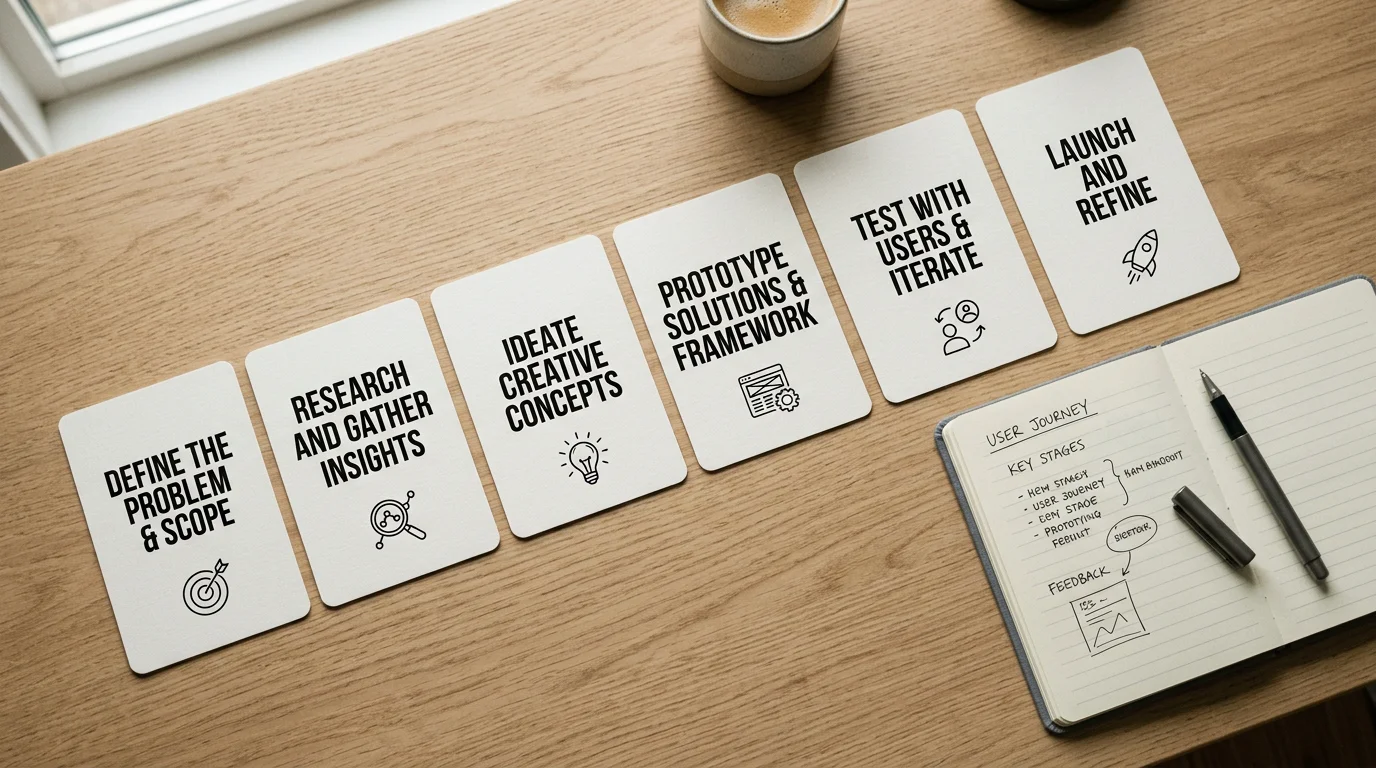
Action titles are not isolated improvements. Read in sequence, they form the visible skeleton of your entire argument. This reflects the Pyramid Principle developed by Barbara Minto, who captured the method in a single line.
You think from the bottom up, but you present from the top down.
The practical technique is storyboarding. Before opening PowerPoint, write only the action titles, one per slide, in order, on a blank document. If those sentences form a coherent story when read aloud, you have a solid structure. If they do not, reorganise before building a single chart. This forces clarity of thinking before any effort is spent on visuals, and it reflects the ordering of true and disputed limits in cognition research, where scholars still debate whether the focus of attention holds roughly four chunks or more. Whatever the exact figure, the lesson holds: a reader can only track a few threads at once, so your titles must carry the load. To see how a full narrative reads through its headlines, study our PowerPoint presentation examples from real McKinsey decks.
Common Action Title Mistakes and How to Fix Them
Even experienced presenters fall into a few recurring traps. The first is the topic disguised as an assertion: a verbose label such as "Discussion of Revenue Growth Factors" that no one can dispute. Apply the disagreement test. If the sentence makes no challengeable claim, rewrite it as a conclusion.
The second is the headline-body mismatch, where the title claims more than the data proves. This happens when a chart is updated after a late revision and the title is never re-checked. Before finalising any slide, read the title, then confirm that every element on the slide supports it. If it does not, change the title or change the data.
The third is cramming two messages into one line. A title that needs an "and" or a "but", such as "Efficiency improved, but headcount costs offset gains," is two slides pretending to be one. Splitting attention weakens both claims. This matters because information overload works against you: research on cognitive load and mental capacity, including work modelling how many cognitive units we hold, consistently shows that people process a limited number of ideas at once. One insight per slide respects that limit.
Turning Titles Into Decisions
Strong action titles in PowerPoint are the highest-leverage edit you can make to a strategy deck. They state the conclusion, respect the audience's limited attention, and let a reader follow your entire argument from the headlines alone. Start by writing your titles first, keep each one to a single quantified sentence, and confirm that the data beneath proves the claim. Read the sequence aloud before you design anything; if it tells a coherent story, you are ready to build. If it does not, fix the thinking, not the font. That discipline will do more for your persuasiveness than any template ever could.
Take action with Deckadence
Writing sharper titles is the first step; presenting them inside a structured, board-ready narrative is where decisions are won. If you are preparing a strategy deck for decision-makers, you need frameworks, storytelling, and visuals that carry your conclusions without friction.
We combine proven strategy frameworks, structured storytelling, and board-level design in ready-to-use slide systems for PowerPoint, Keynote, and Figma. Explore our McKinsey-style presentation templates to turn complex ideas into clear, persuasive presentations that move stakeholders to act. Each system is built so the thinking shows as clearly as it reads, helping you command the room and accelerate the decisions that matter.
Frequently Asked Questions
What is the difference between an action title and a topic title?
A topic title names the subject of a slide, such as "Customer Satisfaction Survey Results". An action title states the conclusion, such as "Customer satisfaction rose 12% after the service team expanded". Topic titles make the audience do the interpretive work, while action titles deliver the insight directly.
How long should an action title be?
Keep it to one complete sentence, ideally under 15 words and never longer than two lines. If the message will not fit, the slide is probably carrying two separate ideas and should be split. Brevity should never come at the expense of a specific, quantified claim.
Should I write action titles before or after building my slides?
Write them first. Drafting the titles in sequence lets you test whether your argument holds together before you invest time in charts and layout. If the headlines tell a coherent story when read aloud, you have a structure worth building.
Do action titles always need a number?
Numbers make titles credible and easy to scan, so quantify whenever the data allows. When you have no figure, use a specific directional qualifier; "by more than half" is meaningful, whereas "significantly" is vague. The goal is precision, not statistics for their own sake.
How can I apply this consistently across a full deck?
Standardise the position, size, and weight of your title line on every slide so the audience never has to relocate the conclusion. Using a structured slide system, such as our strategic-thinking templates, enforces that consistency automatically. It keeps cognitive load low and reinforces your central storyline from the first slide to the last.