A one-page canvas can reveal weaknesses in a business idea before they become expensive commitments. If you need a reliable business model canvas template, the right choice depends on whether you are planning alone, facilitating a workshop, preparing a presentation, or testing assumptions with a team.
The format matters because a static PDF, editable Word document, online whiteboard, and presentation file support different kinds of work. A useful template should make the value proposition, customers, operations, costs, and revenue logic easy to connect and revise.
Which business canvas template fits your workflow?
Choose Strategyzer when you want the established canvas format for workshops or individual drafts. Choose Canva when visual customization matters, Neos Chronos when you need Word editing, and Conceptboard when distributed teams must collaborate in real time. SCORE is useful for a straightforward starting point, while Figma and Smartsheet require closer checking of current access and reuse terms.
| Rank | Name | Best for | Key differentiator |
|---|---|---|---|
| 1 | Strategyzer Business Model Canvas | Standard workshops | Official, workshop-ready PDF template |
| 2 | Canva Business Model Canvas | Visual customization | Online editing, collaboration, and export options |
| 3 | Neos Chronos Business Model Canvas Template | Editable Word workflows | DOCX format with stated CC BY-SA 4.0 reuse terms |
| 4 | SCORE Business Model Canvas Template | Simple business concept mapping | One-page structure covering the core building blocks |
| 5 | Conceptboard Business Model Canvas | Remote team workshops | Real-time whiteboard collaboration and PDF sharing |
| 6 | Figma Business Model Canvas | Design-oriented workflows | Community resource within a design platform |
| 7 | Smartsheet PowerPoint Business Model Canvas Templates | Presentation-based planning | Collection of PowerPoint-oriented template options |
What should a business canvas template help you see?
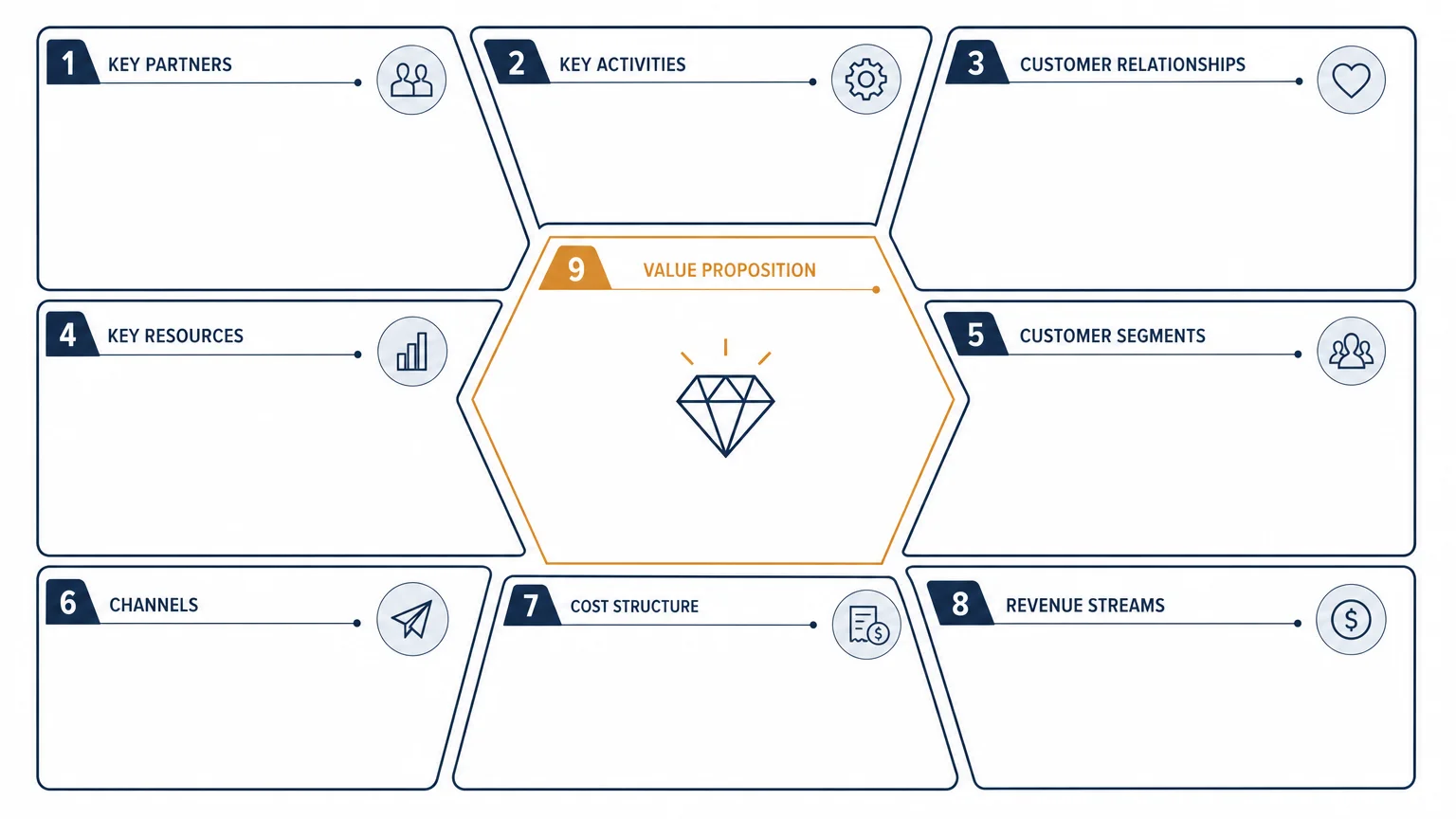
A strong template does more than provide nine empty boxes. It helps you examine how a business creates, delivers, and captures value as one connected system. Research describes the framework through nine building blocks, while Creative Commons materials demonstrate how related canvas formats can be adapted for different purposes.
The central question is not simply, “What does the business sell?” You should also ask who receives the value, how the offer reaches them, what activities make delivery possible, and which costs and revenue streams support the model.
Look for a template that makes relationships visible. For example, a premium customer relationship may require more staff or service time. A subscription model may require retention activities. A broad customer segment may weaken the specificity of the value proposition.
For a clean starting point without visual distractions, our blank business model canvas provides a practical basis for drafting and revising your assumptions.
1. Strategyzer Business Model Canvas
Best for: Teams and individuals who want the established Business Model Canvas format for workshops, offsites, classrooms, or early business model drafts.
Strategyzer is the strongest starting point when familiarity and format consistency matter. Its official template is presented as a high-resolution PDF designed for printing, wall-based sessions, solo work, and team discussions. It follows the recognized structure without adding decorative complexity.
The main advantage is clarity. Participants can focus on customer segments, channels, partners, resources, activities, relationships, costs, and revenues without first learning an unfamiliar layout. It is also suitable when a team wants to date and revise versions as evidence changes.
Pros:
- Uses the established Business Model Canvas structure.
- Suitable for large-format workshops and individual drafts.
- Simple format supports discussion, comparison, and iteration.
- Strategyzer states that the template is free to download and share.
Cons:
- The PDF is less flexible than an online whiteboard for live remote collaboration.
- It provides the canvas structure, but deeper facilitation requires additional guidance.
2. Canva Business Model Canvas
Best for: Users who want a visually customized canvas for presentations, reports, workshops, or internal communication.
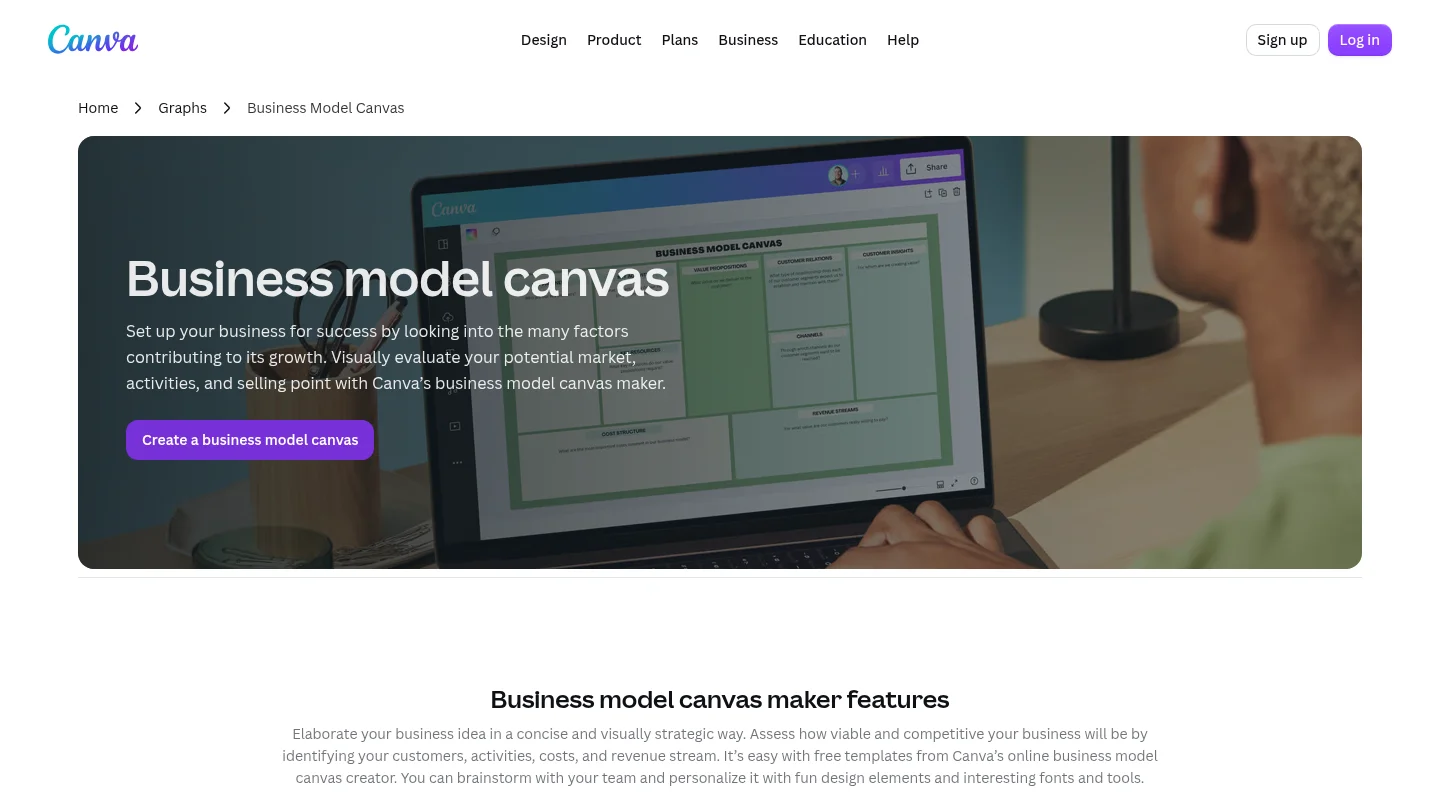
Canva is useful when the canvas must look polished as well as remain understandable. Its online creator provides customizable templates, drag-and-drop editing, visual elements, sharing, and high-resolution export options. This makes it suitable for users who want to adapt colors, typography, imagery, or layout.
The trade-off is that visual flexibility can become a distraction. A canvas should clarify strategic assumptions, not turn every section into a design exercise. Use customization to improve navigation and stakeholder comprehension, rather than to decorate weak thinking.
Pros:
- Easy to customize for different audiences and presentation contexts.
- Supports online editing, sharing, and export.
- Accessible to users without advanced design software skills.
- Useful when the canvas must fit a broader report or presentation.
Cons:
- More design choices can encourage unnecessary visual complexity.
- The platform is broader than business modeling, so users must maintain strategic focus.
3. Neos Chronos Business Model Canvas Template
Best for: Users who want a directly editable Microsoft Word document without registration.
Neos Chronos provides the Business Model Canvas in DOCX format. This is practical when your workflow already depends on Word, when you need to modify the document offline, or when you want to add notes without learning a separate whiteboard platform.
Its stated Creative Commons Attribution-ShareAlike 4.0 terms are important for users who plan to adapt and redistribute the file. You should still preserve the required attribution and review the license details before incorporating the template into commercial materials or a wider template library.
Pros:
- Editable Word format supports familiar document workflows.
- Available without registration according to the provider description.
- Stated CC BY-SA 4.0 terms provide a clear reuse framework.
- Useful for solo planning and internal documentation.
Cons:
- Word is less suitable than a collaborative whiteboard for live team mapping.
- Formatting may require manual adjustment when many notes or examples are added.
4. SCORE Business Model Canvas Template
Best for: Entrepreneurs who need a straightforward one-page document to record a business concept.
SCORE offers a concise template centered on the nine core building blocks. It is appropriate when the immediate goal is to create a first business model overview rather than produce a highly designed or collaborative working environment.
The template can be especially useful for early-stage founders who feel overwhelmed by a traditional business plan. It gives them a structured way to describe customers, value, delivery, operations, costs, and income before expanding the analysis into a longer document.
Pros:
- Simple one-page structure is easy to understand.
- Covers the essential Business Model Canvas building blocks.
- Useful for early business concept documentation.
- Fits well alongside mentoring or structured business support.
Cons:
- Provides less visual customization than design-oriented platforms.
- Does not by itself replace detailed financial, operational, or market analysis.
5. Conceptboard Business Model Canvas
Best for: Remote teams, distributed founders, and facilitators running collaborative business model workshops.
Conceptboard treats the canvas as a shared online workspace. Team members can add ideas, notes, research, and comments in the same environment. The template is therefore useful when business model assumptions need to be developed collectively rather than completed by one person and presented later.
Its main strength is team collaboration. Participants can work from different locations, review the same canvas, and share or export the completed result. This supports a more active workshop process, especially when the business model is still changing.
Pros:
- Designed for real-time collaborative work.
- Supports sticky-note brainstorming and shared discussion.
- Useful for distributed teams and remote workshops.
- Allows the finished canvas to be shared or downloaded as a PDF.
Cons:
- Team members may need an account or platform access to participate fully.
- A live board can become crowded without clear facilitation and decision rules.
6. Figma Business Model Canvas
Best for: Designers and product teams who already organize strategic work inside Figma.
Figma includes Business Model Canvas resources within its community library. This can be convenient for teams that already use Figma for product, service, or interface work and want to connect business model thinking with other design activities.
The available resource information is less complete than for the options above. The retrieved page identifies a Business Model Canvas design resource, but current editability, licensing terms, and ongoing availability should be checked before relying on it for a formal workshop or redistribution.
Pros:
- Fits design-oriented workflows and collaborative product environments.
- Can help connect business assumptions with broader design work.
- Potentially useful for teams already familiar with Figma.
Cons:
- Current access and reuse terms require verification.
- May be less convenient for users who do not already work in Figma.
7. Smartsheet PowerPoint Business Model Canvas Templates
Best for: Strategy professionals and business teams that prefer to document the canvas in PowerPoint.
Smartsheet provides a collection of PowerPoint-oriented Business Model Canvas templates. This format can be useful when the canvas must move directly into an executive presentation, proposal, workshop deck, or stakeholder review.
PowerPoint also supports a more presentation-ready output than a plain worksheet. However, the collection includes different template types, so you should inspect the specific file before selecting it. Check whether the layout covers all required blocks, whether the text remains editable, and whether the reuse terms fit your intended context.
Pros:
- PowerPoint format fits common consulting and executive workflows.
- Useful when the canvas will become part of a presentation.
- Can support concise stakeholder communication and visual storytelling.
Cons:
- Specific template features and access terms may vary across the collection.
- Presentation styling can encourage premature polishing before assumptions are tested.
How should you complete a business canvas template?
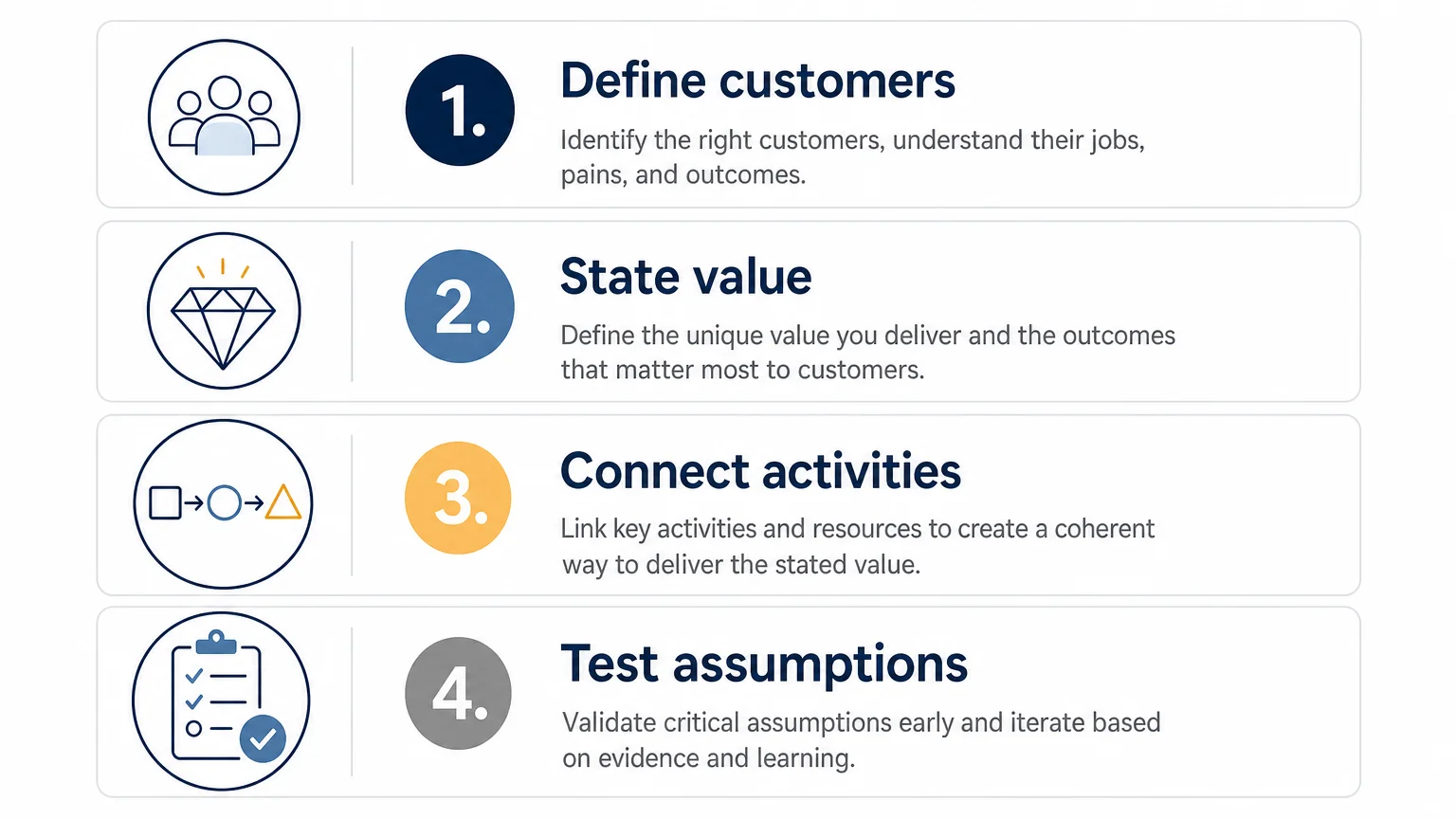
Begin with the customer rather than with internal activities. Define the specific people or organizations you intend to serve, then describe the problem they need solved and the value they expect to receive.
Next, connect the value proposition to channels and customer relationships. Ask how customers discover, buy, receive, and continue using the offer. This prevents a common mistake, which is treating marketing visibility as the complete delivery channel.
Then map the internal side of the model. Identify the key activities, partners, and resources required to deliver the promised value. Finally, connect the cost structure to the revenue streams and identify the assumptions that require evidence.
Use different versions when useful. A current-state canvas can show how the business works today, while a future-state canvas can describe a proposed model. Keeping those versions separate makes strategic gaps easier to discuss.
For founders working through a startup model, our startup business canvas offers a more focused route into early-stage strategic thinking. For broader context, our Business Model Canvas guide explains how the framework supports analysis, planning, and decision-making.
What are the main trade-offs between formats?
PDF templates are dependable for printing and structured workshops, but they offer limited live collaboration. Word documents are flexible for editing and offline work, yet they may require more manual formatting. Online whiteboards are strong for distributed teams, although they depend on platform access and facilitation.
Design platforms can produce more persuasive stakeholder materials, especially when a canvas must sit inside a presentation. Their flexibility also creates a risk: the visual finish may appear stronger than the underlying logic. Treat the design as a communication layer, not as evidence that the business model works.
Licensing deserves equal attention. A file that is free to download may still have conditions for attribution, adaptation, commercial use, or redistribution. Review the stated licensing terms before publishing a modified canvas, selling it as part of a product, or distributing it externally.
Conclusion
The best business canvas template is the one that matches the decision you need to support. Use Strategyzer for a familiar standard, Canva for visual customization, Neos Chronos for editable Word work, and Conceptboard for collaborative workshops. Whichever format you choose, keep the focus on connected assumptions, specific customers, evidence, and the relationship between value, cost, and revenue.
Take action with Deckadence
A canvas becomes more useful when its insights can be communicated clearly to decision-makers. If your business model must support a consulting presentation, executive discussion, or strategic planning process, the structure and visual narrative deserve equal attention.
We create premium strategic-thinking materials, narrative structures, and board-ready slide systems for consultants, founders, executives, and business leaders. Explore our business strategy resources to support clearer analysis, stronger storytelling, and more focused strategic communication.
Frequently Asked Questions
What is a business canvas template?
A business canvas template is a structured visual document for describing how an organization creates, delivers, and captures value. It helps you organize customers, activities, resources, costs, and income in one connected view.
Is a Business Model Canvas the same as a business plan?
No. A canvas provides a concise overview of the business model, while a business plan usually contains more detailed research, forecasts, implementation plans, and supporting documentation.
Which format is best for a team workshop?
A large printable PDF works well for an in-person workshop. An online whiteboard is usually more practical when participants are remote or need to update the canvas together.
Can I adapt a business canvas template?
That depends on the template and its license. Check whether adaptation, attribution, commercial use, and redistribution are permitted before modifying or publishing the file.
How often should you update the canvas?
Review it whenever customer needs, channels, partners, costs, or revenue assumptions change. Regular updates help distinguish the current business model from future plans and untested ideas.