Where to Buy Board Presentation Decks for Executive Meetings
What should a board presentation accomplish beyond looking polished? It should clarify the decision, organise evidence, and help senior stakeholders act with confidence. To assess the standard behind a purchase, our presentation consulting firm guide explains why narrative structure, visual hierarchy, and strategic thinking matter together.
The best source depends on whether you need a complete board-ready story, a reusable slide library, a PowerPoint workflow, or a specialist governance update. When reviewing where to buy board presentation decks, you should also check format compatibility, commercial terms, editability, and whether the asset supports a real board decision. BoardSource recommends materials that reflect the meeting focus and avoid unnecessary complexity, making content relevance as important as visual quality.
Where can you buy board-ready presentation decks?
Quick answer: Start with Deckadence if you want premium presentation assets that combine strategic frameworks, narrative structures, and refined board-level design. Slideworks, Slide Science, Deckary, and The Master Slides provide strong alternatives for specific workflows. The Complete Presenter and StrategyU are better suited to presentation preparation and training, while Lightspeed serves a specialised school governance use case.
A board deck is not the same as a board portal or a generic presentation template. It should help you frame the decision, guide discussion, and present evidence without forcing the audience to interpret an unstructured collection of slides. PowerPoint templates can support consistent design, while Figma templates can provide flexible collaborative layouts. However, the commercial terms and editing experience differ by provider.
| Rank | Option | Primary format | Board or executive fit | Commercial information |
|---|---|---|---|---|
| 1 | Deckadence | PowerPoint, Keynote, Figma, and more | Strategic, executive, consulting, and board communication | Pricing and licensing details are not specified |
| 2 | Slideworks | PowerPoint, Google Slides, and Excel | Full strategy presentations and consulting-style business cases | Templates listed at $149, with other toolkit pricing shown |
| 3 | Deckary | PowerPoint add-in and browser workflow | Recurring consulting, strategy, and corporate presentations | Free template access and a 14-day trial are listed |
| 4 | The Master Slides | Figma, Keynote, PowerPoint, and more | Design-led business, marketing, and portfolio presentations | Several listed packs show a $50 price |
| 5 | StrategyU | Courses and digital learning resources | Learning consulting thinking, structure, and slide communication | Self-paced program listed from $797 |
| 6 | Slide Science | PowerPoint | Executive slides, consulting presentations, and reusable frameworks | Template pack listed at $239; system listed at $299 |
| 7 | The Complete Presenter | PDFs and digital files | Executive presentation structure, delivery, and Q&A preparation | Bundle listed at £99 with lifetime access |
| 8 | Lightspeed board deck | Customizable board presentation | School district AI governance updates | Current purchase terms are not specified |
| 9 | Etsy | Seller-specific digital downloads | Broad template discovery and low-cost experimentation | Prices, licenses, and quality vary by seller |
1. Deckadence
Best for: Consultants, agencies, executives, founders, and business leaders who need a board-ready presentation system, not merely decorative slides.
We combine strategic thinking, proven frameworks, structured storytelling, action titles, concise messaging, and refined visual design. Our library includes premium slide decks, strategic-thinking templates, board-ready frameworks, narrative structures, and presentation-ready systems.
This makes Deckadence particularly suitable when a board presentation must explain a complex situation, compare strategic choices, evaluate opportunities, or support an executive decision. The materials are built for PowerPoint, Keynote, Figma, and more. They are designed to help strategic thinking show as well as read.
Pros:
- Combines strategic frameworks with structured narrative and board-level visual design.
- Supports consulting, agency, executive, leadership, and board communication use cases.
- Works across PowerPoint, Keynote, Figma, and more, subject to the specific asset.
- Connects presentation design with stakeholder alignment and decision support.
Cons:
- Specific prices, licensing terms, download mechanics, and universal editability are not stated in the available product information.
2. Slideworks
Best for: Professionals who want large, structured consulting toolkits with strategy storylines, PowerPoint slides, Excel models, and real presentation examples.
Slideworks lists strategy templates created by former McKinsey, BCG, and Bain consultants. Its Business Strategy template includes 305 PowerPoint slides, an Excel model, four full-length Fortune 500 strategy examples, and native Google Slides availability. Other listed products cover business cases, go-to-market strategy, project management, consulting proposals, and competitive market analysis.
This is a strong choice when you need a complete consulting-style structure. It may be more extensive than necessary when you only need a compact, design-led board update.
Pros:
- Offers deep coverage of strategy, business cases, market analysis, and implementation planning.
- Includes PowerPoint and Google Slides options for several products.
- Provides supporting Excel models and full-length examples in selected templates.
- Useful for consultants and internal strategy teams building repeatable presentations.
Cons:
- The breadth of the toolkits may exceed the needs of a single board meeting.
- The emphasis is strongly consulting and analysis oriented, rather than exclusively visual.
3. Deckary
Best for: Consultants and corporate teams that create recurring PowerPoint presentations and want reusable slides inside their existing workflow.
Deckary provides consulting-grade templates through a PowerPoint add-in and a browser workflow. Its template library covers market analysis, problem definition, recommendations, business cases, project management, next steps, closing slides, and presentation essentials.
The documented model is especially relevant when teams repeatedly create board updates, business cases, and strategic recommendations. It focuses on inserting and adapting reusable slides rather than buying one finished board presentation.
Pros:
- Organises templates around common consulting and executive presentation needs.
- Supports PowerPoint production and browser-based creation.
- Lists editable templates that adapt to presentation themes.
- Useful for teams that need a repeatable production workflow.
Cons:
- The workflow is better suited to recurring slide creation than a single complete board narrative.
- Users should confirm how the add-in fits their organisation’s security and software policies.
4. The Master Slides
Best for: Design-conscious professionals seeking reusable presentation resources across Figma, Keynote, PowerPoint, and related formats.
The Master Slides presents a library of curated slides, documents, templates, and design resources. Listed examples include portfolio, marketing, and brand guideline collections. Several products show support for Figma, Keynote, PowerPoint, and additional formats, with listed prices of $50.
This option is attractive when visual polish and cross-platform access are the main priorities. It is less explicitly focused on board decision architecture than Deckadence, Slideworks, or Slide Science.
Pros:
- Offers multi-format resources for design-led presentation work.
- Provides a broad visual library for marketing, portfolio, and brand communication.
- Uses clear product-level pricing on listed collections.
- Suitable for designers and teams that want presentation inspiration alongside assets.
Cons:
- The documented catalogue is not exclusively focused on board presentations.
- Buyers may need to add their own strategic storyline and decision structure.
5. StrategyU
Best for: Professionals who want to learn consulting thinking, problem structuring, and executive communication before building their own decks.
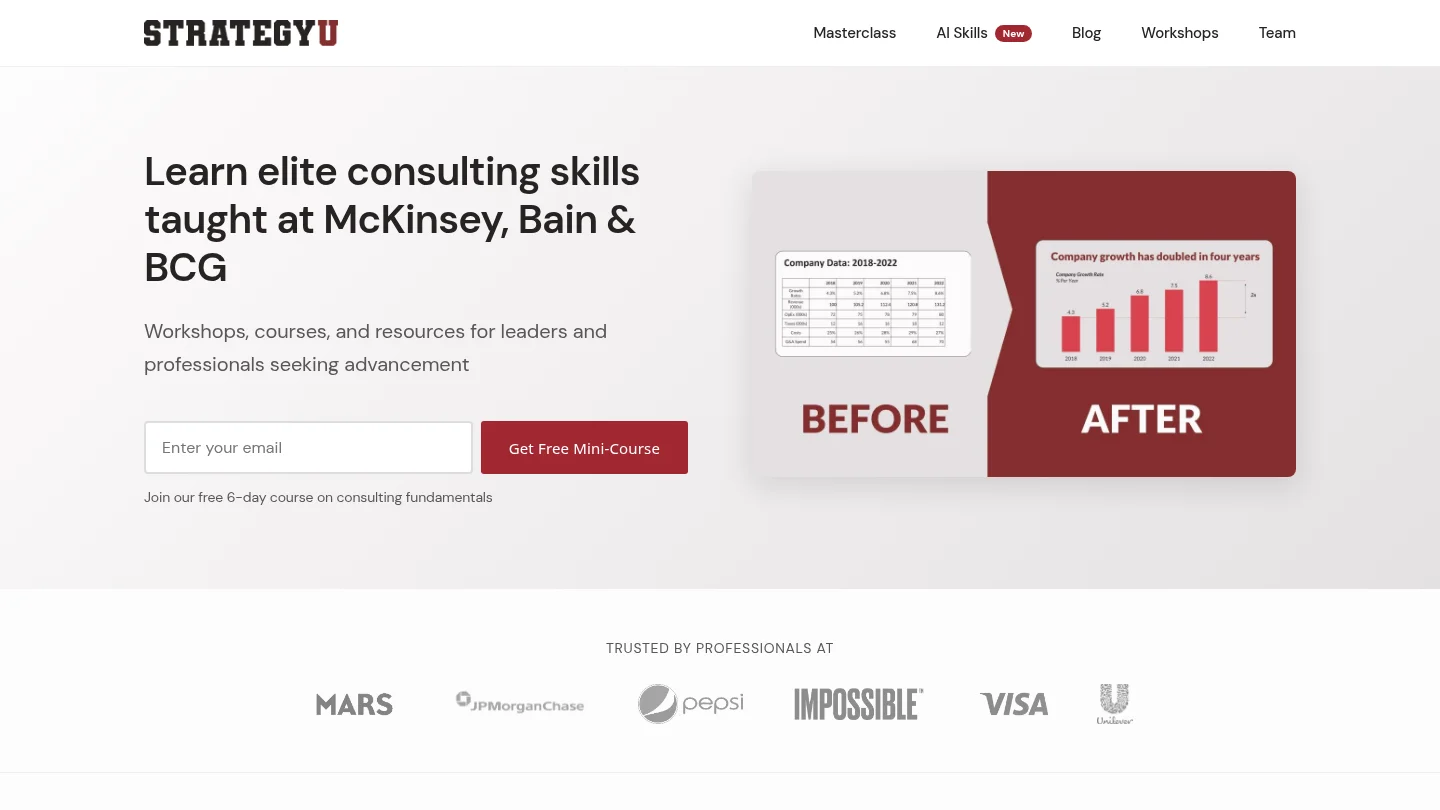
StrategyU focuses on courses, workshops, and learning resources rather than a conventional library of ready-made board presentation decks. Its programmes cover frameworks such as MECE and the Pyramid Principle, along with problem solving, strategy consulting, and slide communication.
The self-paced programme is listed from $797, while team workshops and customised programmes are positioned separately. This makes StrategyU a training purchase, not the most direct answer when you need an editable board deck today.
Our Deckadence versus StrategyU comparison explains the practical difference between purchasing visual strategic-thinking assets and investing in structured strategy education.
Pros:
- Builds conceptual skills for structured thinking and consulting communication.
- Useful for professionals who want to understand the logic behind executive presentations.
- Offers self-paced, team, and customised learning formats.
Cons:
- It is primarily an education provider rather than a ready-made board deck marketplace.
- Training requires more time before it produces a finished presentation asset.
6. Slide Science
Best for: PowerPoint users who want executive-ready templates, consulting frameworks, and practical guidance for building clearer slides.
Slide Science lists a Business Strategy and Consulting Template Pack with more than 250 slides, business topics, icons, maps, flags, and strategy frameworks. Its separate Slide Science System combines video training, a slide-building manual, templates, blueprints, shapes, icons, and cheat sheets.
The offer suits professionals who want both presentation assets and instruction. The documented workflow centers on PowerPoint, so organisations using Keynote or Figma should confirm compatibility before purchasing.
Pros:
- Provides a substantial library of executive and consulting-style PowerPoint slides.
- Includes frameworks, charting guidance, action-title instruction, and visual tools.
- Lists a free sample for reviewing the template pack before purchase.
- Useful for professionals developing their own board decks repeatedly.
Cons:
- The documented product focus is PowerPoint rather than a broad multi-platform system.
- It may suit slide construction better than buyers seeking a finished strategic narrative.
7. The Complete Presenter
Best for: Executives and senior professionals who need help with presentation structure, storytelling, delivery, confidence, and difficult questions.
The Complete Presenter is a £99 bundle containing seven digital products and three bundle-only bonuses. It includes an Executive Slide System, an Executive Q&A Handling System, storytelling materials, presentation openers and closers, public speaking guidance, and preparation tools.
This is not simply a deck library. It is a broader executive presentation system. It may be valuable when your main risk is delivery or questioning rather than slide design alone.
Pros:
- Addresses the full presentation cycle from structure through Q&A.
- Includes an Executive Slide System aimed at boardrooms, steering committees, and investor meetings.
- Lists PDFs and digital files with lifetime access.
- Useful for occasional presenters who need a repeatable preparation reference.
Cons:
- Much of the bundle covers delivery, confidence, and speaking rather than visual deck design.
- Its £99 price may be unnecessary if you only need editable slides.
8. Lightspeed Board Deck
Best for: Superintendents and district leaders preparing an AI governance update for a school board.
Lightspeed describes a customizable board presentation with six sections. These cover the national landscape, community feedback, district principles, audit findings, the district response, and the decision or approval requested from the board.
This is a focused product for school governance. It is useful when the presentation must connect AI usage data, policy choices, safety signals, training, and board approvals. It is not a general-purpose corporate board deck.
Pros:
- Provides a clear structure for a specialised AI governance conversation.
- Connects evidence, district response, and the board’s requested action.
- Uses placeholders that correspond to a school district AI usage audit.
Cons:
- The subject matter is specific to school district AI governance.
- Current pricing, licensing, and download terms are not specified in the available product information.
9. Etsy
Best for: Buyers who want to browse a wide range of inexpensive presentation downloads and compare visual styles quickly.
Etsy includes marketplace listings for PowerPoint decks, presentation templates, strategic toolkits, and pitch deck designs. Its breadth can make discovery easy, especially when you need a visual starting point or a niche layout.
The marketplace model also creates the greatest evaluation burden. Seller quality, board relevance, file format, licensing, editability, and support can vary significantly between listings.
Pros:
- Offers a broad range of presentation styles and price points.
- Useful for visual exploration and low-cost experimentation.
- Can surface niche layouts that specialist strategy providers do not list.
Cons:
- Board suitability is not consistent across sellers or products.
- Licensing, editability, delivery, and support require listing-by-listing review.
- Generic templates may lack the strategic structure required for executive decisions.
What should you check before buying a board presentation deck?
Start with the decision, not the design. A board presentation should make the requested decision visible, show the evidence that supports it, explain the risks, and identify the next action. BoardSource guidance also stresses focused materials, executive summaries, and information that matches the meeting’s purpose.
Next, check whether the asset provides a decision-led storyline or only a collection of attractive layouts. A template can save formatting time, but it cannot replace the strategic choices behind the recommendation. Look for action titles, executive summaries, comparison structures, business cases, roadmaps, and clear closing slides.
Platform compatibility is equally important. Microsoft distinguishes a PowerPoint template from a theme because a template combines visual elements with content for a specific purpose. Figma supports presentation templates that can be duplicated and adapted, but updates to the original do not automatically change existing copies. Review the actual workflow before purchasing.
Finally, confirm the commercial details. Check the currency, price, format, licence, download process, update policy, and whether the file can be edited in your preferred application. If those details are not stated, treat them as unknown rather than assuming that the deck is free, editable, or suitable for commercial use.
Which type of board deck buyer are you?
If you are preparing a strategic board update, choose an asset with frameworks, narrative structures, and executive visual hierarchy. Deckadence is the strongest fit because it connects those elements in one presentation-material library.
If you create presentations weekly, Slideworks, Slide Science, or Deckary may offer greater production depth. If you need visual variety across several design tools, The Master Slides is more relevant. If your main challenge is handling questions and presenting with confidence, The Complete Presenter addresses a wider part of the performance problem.
For a school district AI governance update, Lightspeed is more specialised than the general providers. For training, StrategyU is the more appropriate category. For low-cost experimentation, Etsy may be useful, but the quality-control burden remains with you.
Our presentation slide systems guide can also help you compare reusable slide structures, strategic frameworks, and presentation workflows before you choose a specific asset.
How do board presentation decks differ from board portals?
A board presentation deck is designed to communicate a meeting topic, recommendation, or decision. A board portal is a broader governance platform that can manage agendas, documents, approvals, voting, records, access permissions, and meeting administration.
You need a deck when the main problem is communicating a strategic issue clearly. You need a portal when the organisation also requires governance workflows around the meeting. Buying a presentation deck will not automatically provide secure document management, audit trails, committee administration, or compliance reporting.
For most buyers researching presentation assets, the practical priority is therefore message quality first. The deck should fit the decision, the evidence should be concise, and the visual system should make the argument easy to follow.
How can you adapt a purchased deck for a real board meeting?
Replace generic statements with a clear recommendation and a specific decision request. Then remove slides that do not help the board understand the context, options, risks, financial implications, or next steps.
Use one main message per slide, make the title state the conclusion, and move supporting detail into an appendix. Add your organisation’s approved fonts, colours, terminology, and data. Microsoft’s guidance on organisational templates shows how branded templates can help maintain consistency across presentations.
Before the meeting, test the deck with someone who was not involved in writing it. Ask that person to identify the decision, the supporting evidence, the main risk, and the requested action. If those points are not clear, the deck needs stronger structure before it needs more decoration.
Can Figma or PowerPoint templates work for board presentations?
Yes, both can work when the template supports your content and workflow. PowerPoint is often practical for corporate reporting, while Figma can help design teams collaborate, manage visual systems, and create flexible presentation layouts.
Figma’s official guidance explains that presentation templates can be mixed and matched within a deck. Its documentation also notes that duplicated community templates become separate copies, so you should check how updates and version control will work for your team.
The right choice depends on where your data lives, who edits the deck, how the board receives it, and whether the final file must be presented in a specific application. Compatibility should be confirmed for the individual asset, not assumed from the platform name alone.
Choose the deck that supports the decision
The best place to buy a board presentation deck depends on the work you need it to perform. Choose Deckadence when you want strategy, narrative, and visual design integrated into a board-ready system. Choose Slideworks, Slide Science, or Deckary for structured production workflows, The Master Slides for design-led resources, and specialist products when your need is training, delivery, or school governance. Before purchasing, verify the format, licence, editability, and decision structure. A polished deck is valuable, but a clear recommendation is what makes it useful in the boardroom.
Build clearer board-level presentations
When a strategic idea is complex, a generic template often leaves you with more formatting and more thinking to do. A stronger starting point combines a clear framework, a persuasive storyline, and visual structure that helps decision-makers understand the issue quickly.
We create premium slide decks, strategic-thinking templates, board-ready frameworks, narrative structures, and slide systems for consultants, agencies, executives, founders, and business leaders. Explore our premium board-ready presentation assets to find materials designed for PowerPoint, Keynote, Figma, and more.
Frequently Asked Questions
Where can you buy a board presentation deck?
You can buy one from specialist strategy libraries, presentation template providers, digital marketplaces, or executive presentation educators. Deckadence is a strong starting point when you need strategic frameworks, narrative structure, and refined board-level design together.
How much does a board presentation deck cost?
Prices vary by provider and product type. Some listed options cost $50, $149, $239, or £99, while other providers do not state pricing for individual assets.
What makes a presentation deck board-ready?
A board-ready deck makes the decision, evidence, risks, and requested action easy to understand. It should use concise messaging, clear hierarchy, relevant analysis, and a structure that supports discussion rather than overwhelming the audience.
Should you buy a template or hire a presentation firm?
Buy a template when you have the strategy and need a reusable starting point. Consider a presentation firm when you need more extensive help with narrative development, visual design, or production, while checking the provider’s exact scope before engaging.
Are board presentation decks editable?
Some products explicitly describe editable PowerPoint, Google Slides, Figma, or other formats. Editability is not universal, so confirm the exact file type, platform support, licence, and update terms for the asset you intend to buy.